
Download AccuroFit APK – health app, fitness tracker, workout tracker, blood pressure monitor, heart rate monitor, weight tracker, body fat tracker, Bluetooth device integration, mobile health app, secure cloud storage
Overview
AccuroFit is a mobile health application developed by NCI Technology Inc, designed specifically for Android users seeking a centralized platform to manage personal health and fitness data. The app functions as a comprehensive health tracking tool, enabling users to record, store, and monitor various health metrics including workout activity, weight, body fat percentage, blood pressure, and real-time heart rate. It is tailored for individuals who engage in regular physical training, whether within fitness clubs or at home, and who value data-driven insights into their wellness journey. The app integrates seamlessly with multiple Accuro-branded devices via Bluetooth, minimizing manual input and streamlining data collection. All user data is stored securely in a private cloud, ensuring privacy and long-term accessibility. The app supports both in-club and out-of-club workout tracking, allowing users to maintain consistent monitoring regardless of location. It also features a unique points system to measure workout intensity, providing a quantifiable metric for progress. The application is free to download and use with no in-app purchases or advertisements, making it accessible to a broad audience. It is compatible with Android 8.0 and above, and is available exclusively on the Google Play Store.Key Features & Capabilities
- Workout Tracking – Users can log and monitor both in-club and at-home workouts, with automatic data capture from connected Bluetooth devices. This enables consistent tracking without requiring manual entry for every session.
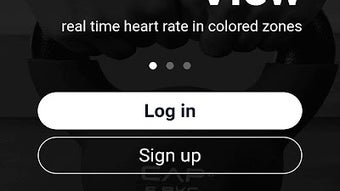
- Real-Time Heart Rate Monitoring – The app displays live heart rate data using a color-coded zone chart, helping users stay within target training zones for optimal performance and safety.
- Calorie Burn Tracking – Users can view calorie expenditure per minute during workouts, offering insight into energy output and helping with fitness goal planning.
- Weight & Body Fat Monitoring – Data from in-club or at-home scales can be recorded and stored, allowing users to track body composition trends over time.
- Blood Pressure Logging – Integration with Bluetooth-enabled blood pressure monitors enables users to record and monitor cardiovascular health metrics conveniently.
- Activity Data Sync – The app supports data collection from Bluetooth Activity Monitors, ensuring a complete picture of daily movement and physical activity.
- Private Cloud Storage – All health data is securely stored in a private cloud environment, ensuring data confidentiality and long-term access.
- Points-Based Intensity System – A unique scoring mechanism allows users to quantify workout intensity, aiding in performance evaluation and goal setting.
User Interface, Workflow & Performance
The user interface of AccuroFit is designed with simplicity and functionality in mind, aiming to provide a clean and intuitive experience for users across different fitness levels. Navigation is structured around core health metrics, with quick access to workout logs, heart rate dashboards, and biometric data entries. The layout prioritizes visual clarity, with color-coded indicators and real-time data displays to enhance readability. Workflow efficiency is supported through automatic data synchronization with Bluetooth devices, reducing the need for repetitive manual input. Users can initiate tracking sessions with minimal steps, and data is presented in a structured format for easy review. The app’s performance is consistent with standard mobile applications of its category, though specific performance metrics such as CPU usage, memory consumption, or load times were not disclosed by the developer. The app operates smoothly on Android 8.0 and above, and no stability issues were reported in the provided information. The developer did not specify resource usage details, so actual performance may vary depending on device capabilities and network conditions.Compatibility & System Requirements
AccuroFit is designed exclusively for Android devices, with compatibility confirmed for Android 8.0 and higher. The app has a file size of 45.2 MB, indicating a lightweight installation that should not significantly impact storage space on most modern smartphones. The developer did not provide additional system requirements, such as RAM, processor specifications, or GPU details. Installation is available only through the Google Play Store, and no alternative download sources were mentioned. The app is available in English, which may limit accessibility for non-English speakers. Platform compatibility information is limited to Android 8.0 and above, and no information was provided regarding support for tablets, wearables, or other mobile operating systems.Pros and Cons
Pros
- Free to download and use with no ads or in-app purchases.
- Seamless integration with multiple Bluetooth health devices.
- Secure private cloud storage for sensitive health data.
- Real-time heart rate zone visualization with color-coded feedback.
- Comprehensive tracking of weight, body fat, blood pressure, and activity.
- Points-based system to measure workout intensity objectively.
- Supports both in-club and at-home workout tracking.
- Lightweight installation at 45.2 MB.
Cons
- Available only on Android, limiting accessibility for iOS users.
- No information on support for wearable devices beyond Bluetooth monitors.
- Exact performance details, such as battery usage or background behavior, were not provided.
- App is not available outside the Google Play Store, restricting alternative installation methods.
- Only available in English, which may affect non-English-speaking users.
FAQ Section
Is AccuroFit available for iOS devices?
Currently, AccuroFit is only available for Android devices. There is no official version for iOS platforms.
Is the app secure? How is my health data protected?
All user data is stored in a private cloud environment. The developer did not specify encryption methods, but the app is designed to ensure secure handling of sensitive health information.
Can I use AccuroFit without Bluetooth devices?
Yes, the app supports manual data entry for workouts, weight, body fat, and blood pressure, though device integration enhances accuracy and convenience.
Does AccuroFit require an internet connection?
While basic data entry can be done offline, syncing with the private cloud and accessing stored data requires an active internet connection.
Are there any updates or new features planned?
Information about future updates or feature rollouts was not provided by the developer.






.png)
